
ExtendFS: Mount ext4 on Mac
Mount ext4 disks or drives on your Mac to access your Linux files easily - without touching the terminal, compromising system security, or installing a kext.

Requires macOS 15.6 or later, supports Intel and Apple Silicon (M1, M2, M3, M4, M5)

Read files from Linux drives on your Mac
ExtendFS is a read-only ext2, ext3, and ext4 driver for macOS using FSKit and written in Swift. It's plug-and-play, with no kernel extension or messing with system security settings required.
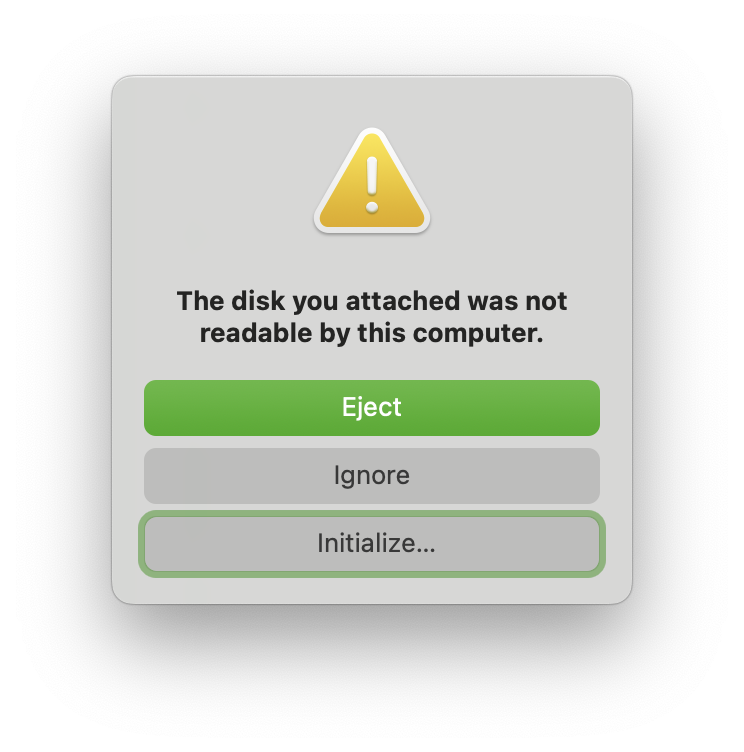
ext4 is one of the most common filesystem formats used by HDDs, SSDs, and USB flash drives formatted on Linux, such as by Ubuntu users. However, ext4 isn't supported by default on macOS and results in an error when you plug one of these devices into your Mac. If you want to read files off a supported Linux disk but see this error, ExtendFS can help you access them.
You might find ext4 mount support useful if you want to connect storage devices to your Mac from Linux machines, including, but not limited to:
- External hard drives, SSDs, or portable USB sticks you used with a Linux PC
- SD cards or microSD cards used with a Raspberry Pi
- Storage devices used with a Steam Deck
- Large hard drives used in a NAS
Note: While ext4 is a common choice for the above, not all devices in the above categories are necessarily ext4! If they are formatted with other file system formats, such as Btrfs, they aren't supported. Please check that your device is an ext4 drive first.
Features
-
Easy to Enable
There's no need to reboot into recovery mode, lower your system security settings, enable any kernel extensions, or bypass Gatekeeper. ExtendFS is signed and notarized, so after opening the app, you just turn on a switch in System Settings to enable ext4 support.
-
Easy to Use
When opening a disk image or plugging in a drive formatted as ext4 with supported options, the volume automatically mounts and is accessible in the Finder, with no terminal commands required.
-
Safe Implementation with FSKit, No FUSE Required
Instead of relying on FUSE implementations like macFUSE or FUSE-T with
ext4fuse, ExtendFS makes direct use of Apple's new FSKit framework, allowing for automatic mounts of connected drives without the need for additional third-party downloads. Without a kernel extension, the filesystem is also implemented in user space, increasing safety and eliminating the need to reboot into recovery mode to lower system security settings. In addition, the driver is also sandboxed just like any other program from the Mac App Store, so it only has access to the relevant disk and is restricted from accessing other system resources. -
Open Source
The source code is freely accessible on GitHub under the GPL license. If you want to support the project, you can purchase the Mac App Store version, which has no differences.
-
Supports Modern macOS Versions
ExtendFS uses modern macOS technologies and APIs, and supports macOS Sequoia 15.6 and later, including the latest macOS Tahoe 26.
Please note that not all ext4 features are currently supported. This includes compression, encryption, and meta block groups. In addition, LVM is not currently supported. See the known limitations page for detailed information about supported features and other issues.
How to use ExtendFS to mount an ext4 partition
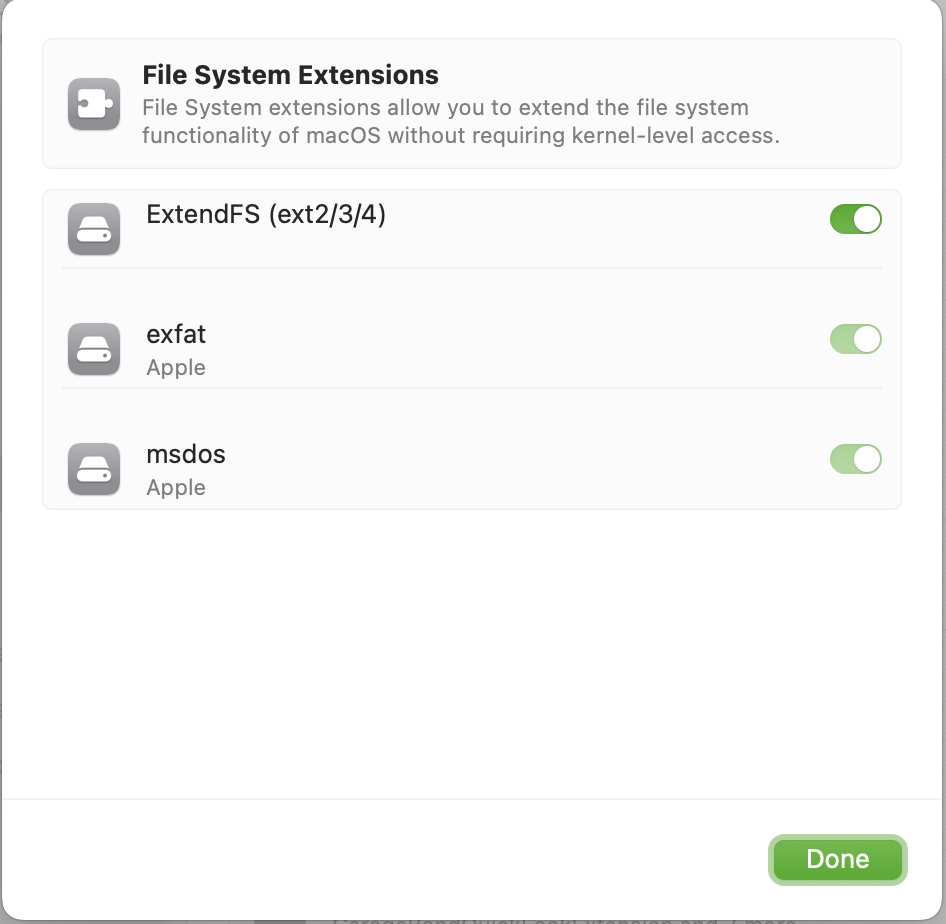
- Download and run the ExtendFS app.
-
Enable ExtendFS's file system extension in System Settings.
Then, once you plug in your ext4-formatted drive or open your disk image, supported volumes will mount automatically, with no command line tools or manual mounting required.
If you do wish to use a command line tool, ExtendFS (like other FSKit extensions) integrates with the
system's familiar tools, like the mount(8) command:
mount -t ExtendFS /dev/disk15 /tmp/mnt
Comparison with other ext4 solutions for macOS
I made ExtendFS to solve some problems in existing tools like ext4fuse with macFUSE.
| Software | Read Access | Write Access | Supports Intel | Supports Apple Silicon | Easy to Install | Works on "Full Security" mode1 | Supports Automount | Open Source | Usable Without Terminal | Sandboxed |
|---|---|---|---|---|---|---|---|---|---|---|
| ExtendFS | ✅ | ❌ | ✅ | ✅ | ✅ | ✅ | ✅ | ✅ | ✅ | ✅ |
| macFUSE + ext4fuse | ✅ | ❌ | ✅ | ✅ | ❌ Requires compiling from source |
⚠️ Requires non-default mount option |
❌ | ⚠️ macFUSE is not open source |
❌ | ❌ |
| Paragon extFS for Mac | ✅ | ✅ | ✅ | ✅ | ⚠️ May require changing settings in recovery mode |
❌ | ✅ | ❌ | ✅ | ❌ |
1 Full Security mode is a Secure Boot setting on Macs with a T2 chip or Apple Silicon that helps to protect macOS from tampering, such as by malware. On Macs with Apple Silicon such as the M1 chip, ext4 drivers that require a kernel extension are not compatible with Full Security.
Frequently Asked Questions
For additional up-to-date information, see the FAQ page.